registration
Step 1: Log In To The Website
click to registration onlineThis website is only valid for people registering at an address in Shanghai. Assuming you don’t have an account, need to make one first. It doesn’t require an email verification.
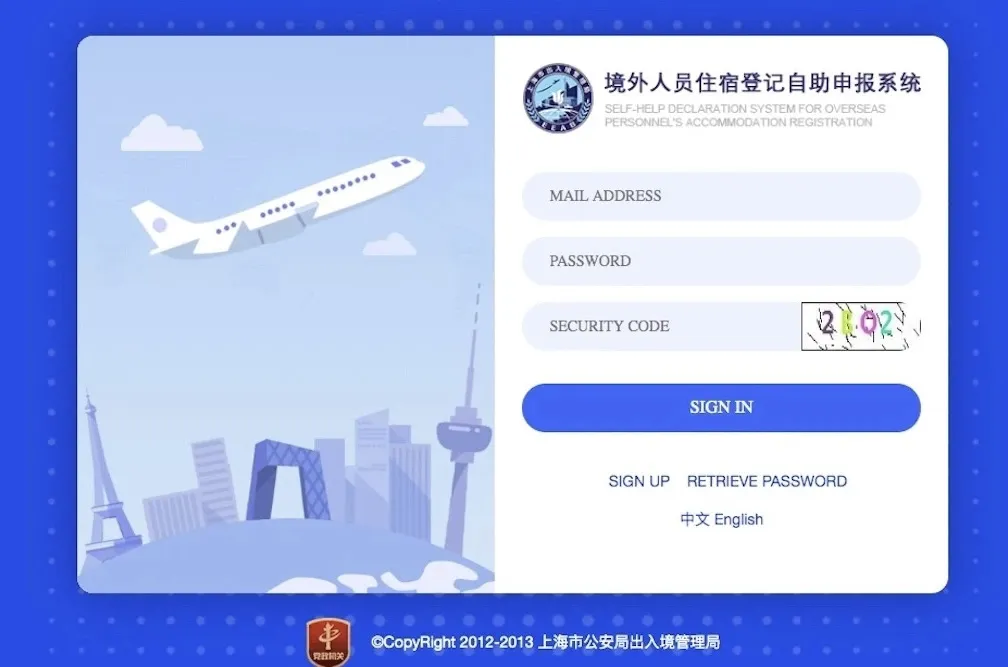
Step 2: Fill In Your Details
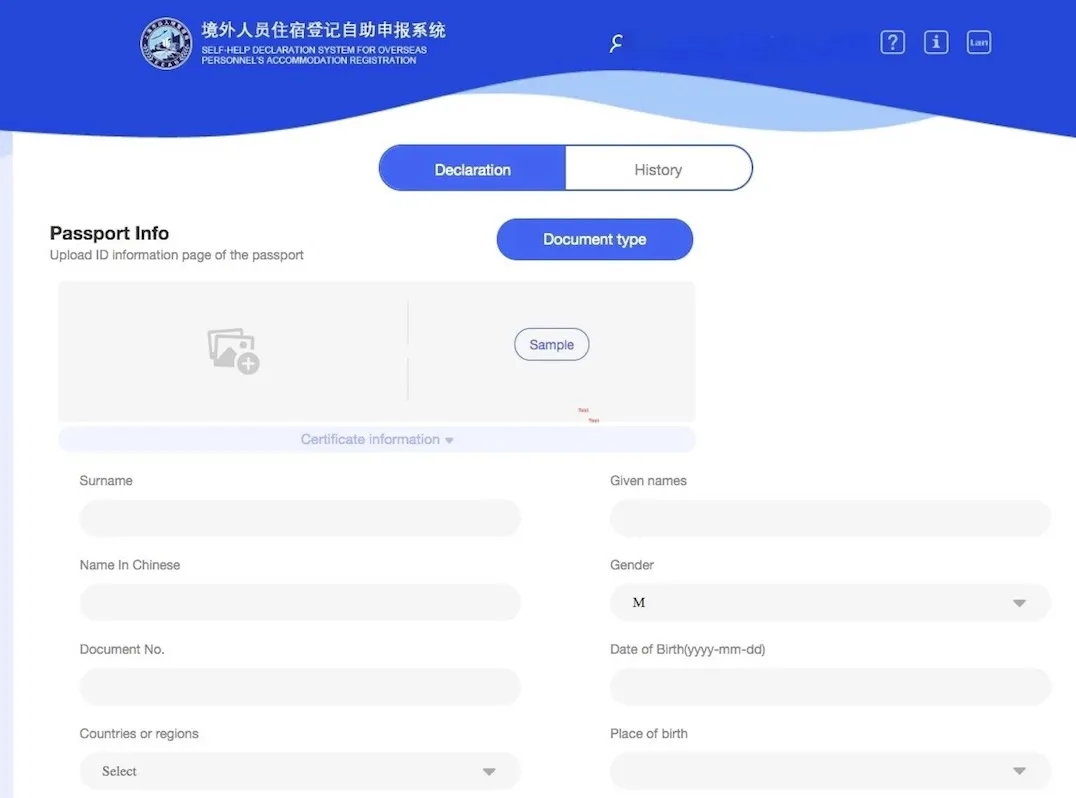
Just upload an image of the photo ID page in your passport. It’ll pick the details out automatically, but you can add or correct anything that wasn’t right.
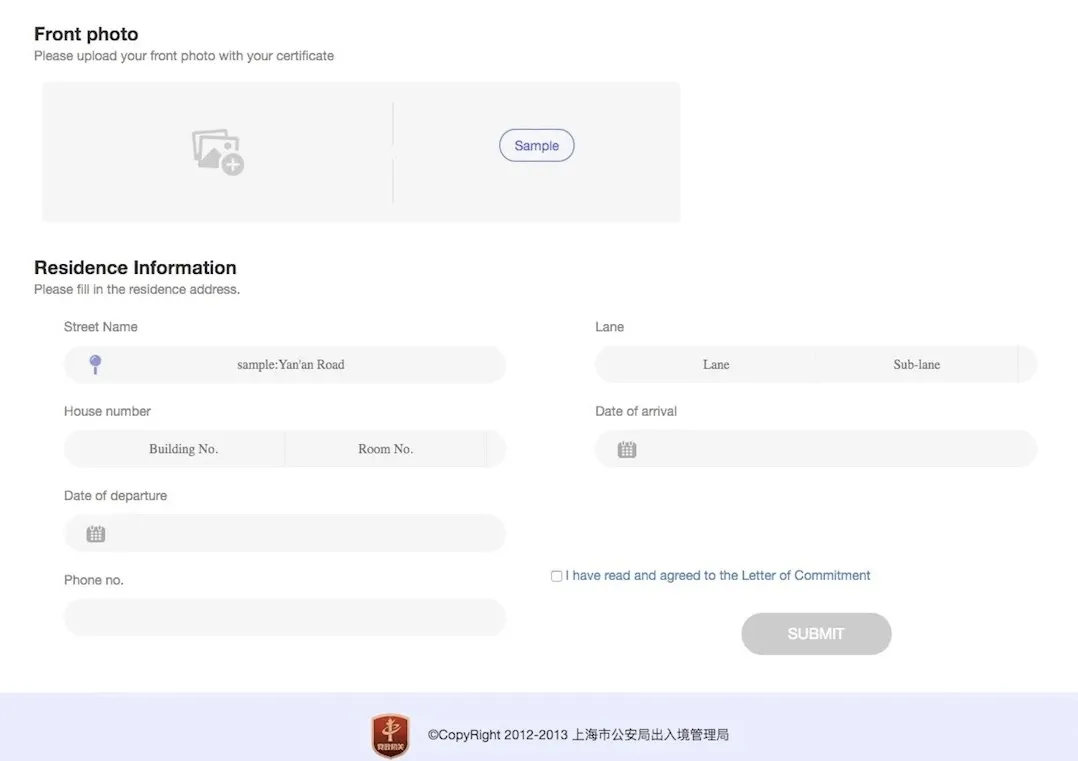
Don’t mind the “with your certificate” bit, just upload a passport photo or a clean, passport-style selfie. I did it at my desk. The address system is a slight pain in the butt, owing to the interminable difficulty in translating sometimes complex Chinese address into English ones. Note: the “Date of Departure” info doesn’t appear on your final certificate, just put the last date you left China.
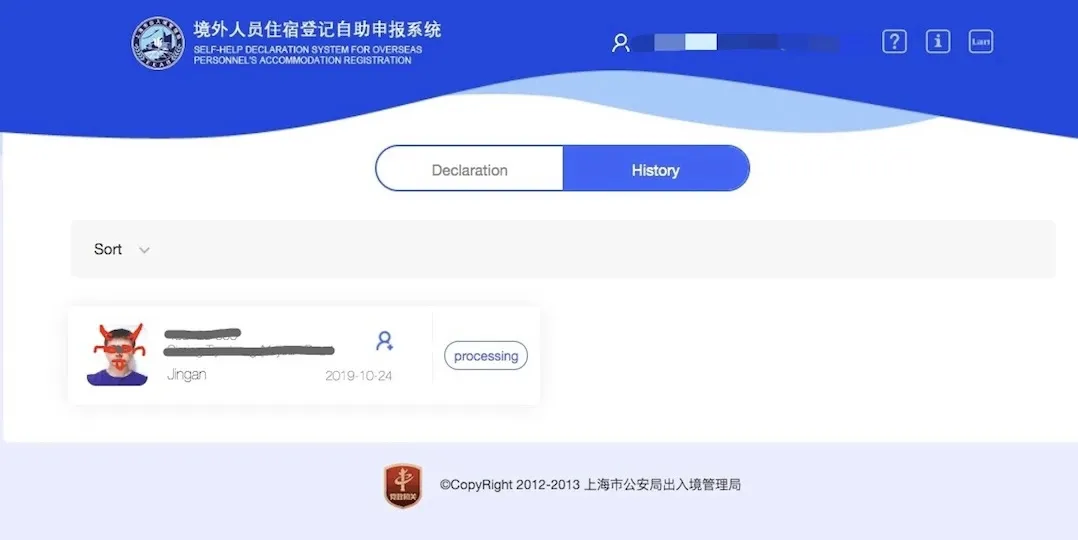
Processing can take five to ten minutes. it can take much longer sometimes. You’ll get an email confirmation when it’s done, and it might show up in your spam folder.
Step 3: Download Your Registration Form Of Temporary Residence

Back on the website, select the QR code that’s replaced the “processing” bit and you’ll have the option to “preview” (download), email or share a PDF of your form, with chop, filled in for you.